
Build a cloud strategy around business outcomes
Choose what to move, what to keep, and how to test your cloud investment with a practical 90-day plan.
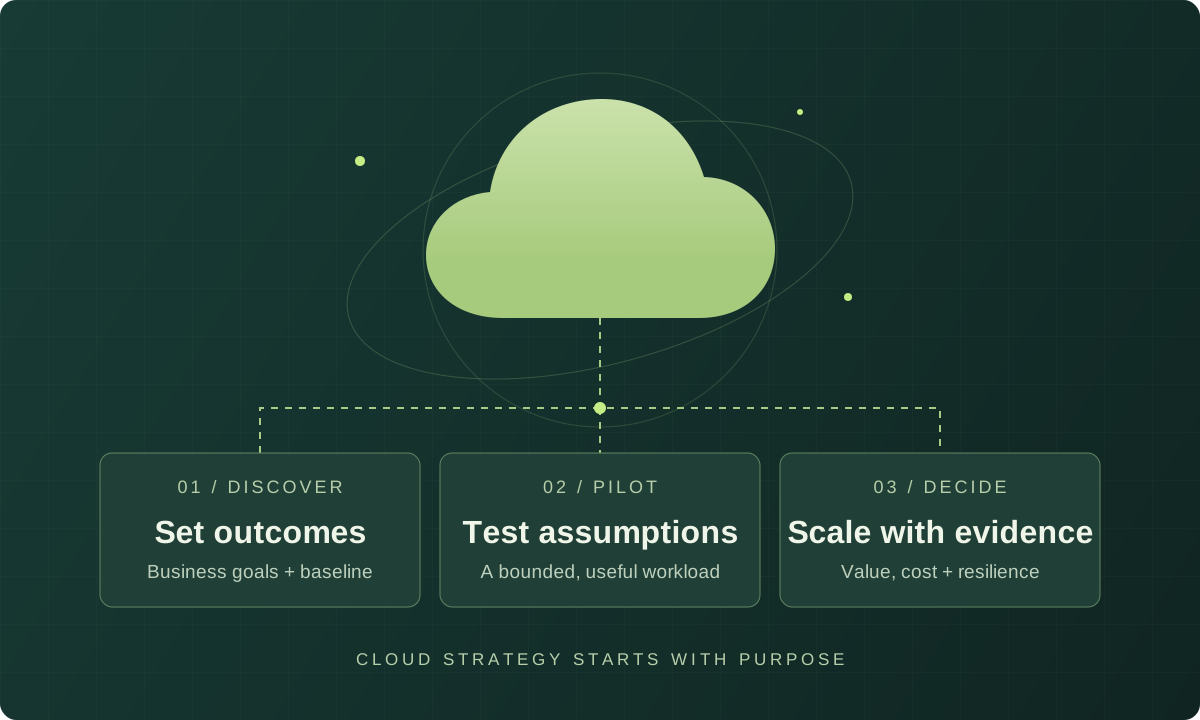
What should your cloud strategy help you decide?
Your ordering system slows down during the busiest weeks of the year. New customer environments take too long to set up. Your team spends more time keeping systems running than improving them. These are useful starting points for a cloud strategy because each describes a problem you can measure.
A useful strategy connects those problems to a small set of decisions: what to change, what to keep, who will run it and how to judge the result. Moving applications is part of the work; the goal is a better service for your customers and your team.
This guide walks through six decisions for a small or midsize organization, followed by a fictional distributor example. The suggested 90-day plan is a starting point for learning, not a deadline for migrating your entire business.
1. Pick two or three measurable outcomes
For each outcome, record where you are today, where you want to be, a review date and an owner. Pair speed or cost targets with a quality check: faster releases are only useful if the service remains reliable.
- Delivery: aim to reduce environment setup from ten working days to one, without skipping access or security checks.
- Recovery: agree how quickly service must return after a failure and how much data loss is tolerable. These are your recovery time and recovery point objectives; test both.
- Cost: track the cost per completed order alongside the monthly bill and response times customers experience.
These are examples, not benchmarks. Use your own invoices, incident records and delivery data to set a realistic baseline. Give a business sponsor authority to resolve conflicts between budget, scope and risk.
2. Decide what each application needs
List your applications, owners, dependencies and data requirements. Include licensing, peak usage and support arrangements. A seemingly independent application may still depend on a shared database or an overnight file transfer.
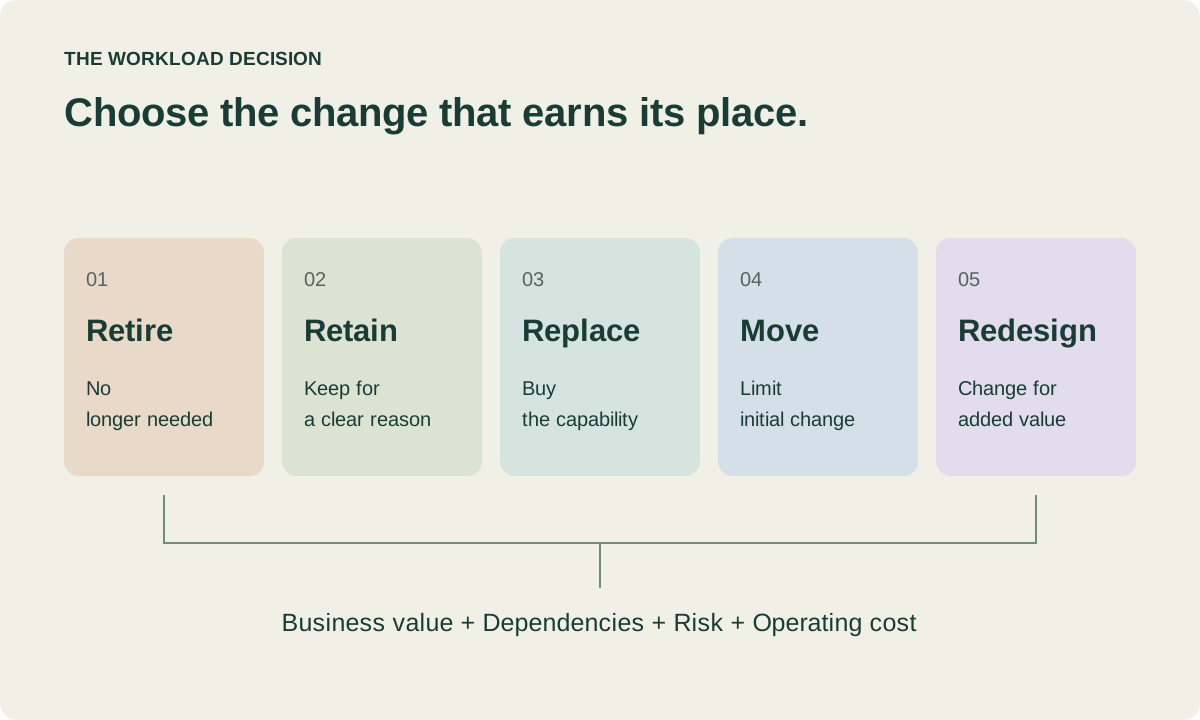
Consider whether to retire, retain, replace, move or redesign each application. These are simplified planning choices. AWS’s seven Rs provide a more detailed migration framework, linked in the references below.
An unused internal tool may be worth retiring. An application tied to specialist equipment may stay on premises. A customer portal with variable traffic may suit a managed application platform. For each choice, record the reason, dependencies and next review date.
3. Budget for the whole change
A cloud estimate is one part of the business case. Compare the full cost of migration and operation over the same period, using comparable support, availability and recovery requirements.
- Running the service: compute, databases, storage, backups, monitoring, support, connectivity and data transfer.
- Making the change: engineering time, training, data migration and the period when old and new environments both run.
- Closing the old setup: remaining contracts, equipment commitments and the work needed to decommission systems.
Estimate a normal month, a peak month and a scenario where usage or migration takes longer than expected. A lower cost per order can still mean a higher total bill as demand grows. Base long-term spending commitments on measured usage, and name an owner for removing unused resources.
4. Make the service ready to operate
Before a production pilot, put the essentials in place: controlled access, separate production and test environments, secure connectivity, secret storage, audit logs, backups and cost ownership. Keep repeatable infrastructure configuration in version control so changes can be reviewed and reproduced.
Make responsibilities explicit. Who responds to an alert? Who approves a production change? Who restores the data? Managed services remove some infrastructure work, but your team still owns application behavior and the responsibilities assigned to you by the service provider.
Start with one primary cloud unless a specific requirement calls for more. Additional providers bring extra networking, identity and operational work. Invest in portability where you can explain the benefit and support the cost.
5. Choose a small but useful pilot
Pick a workload with a clear owner, visible value and dependencies you understand. A disposable demo will teach you little about running a real service. Your most critical, tightly connected application may introduce too much risk for a first attempt.
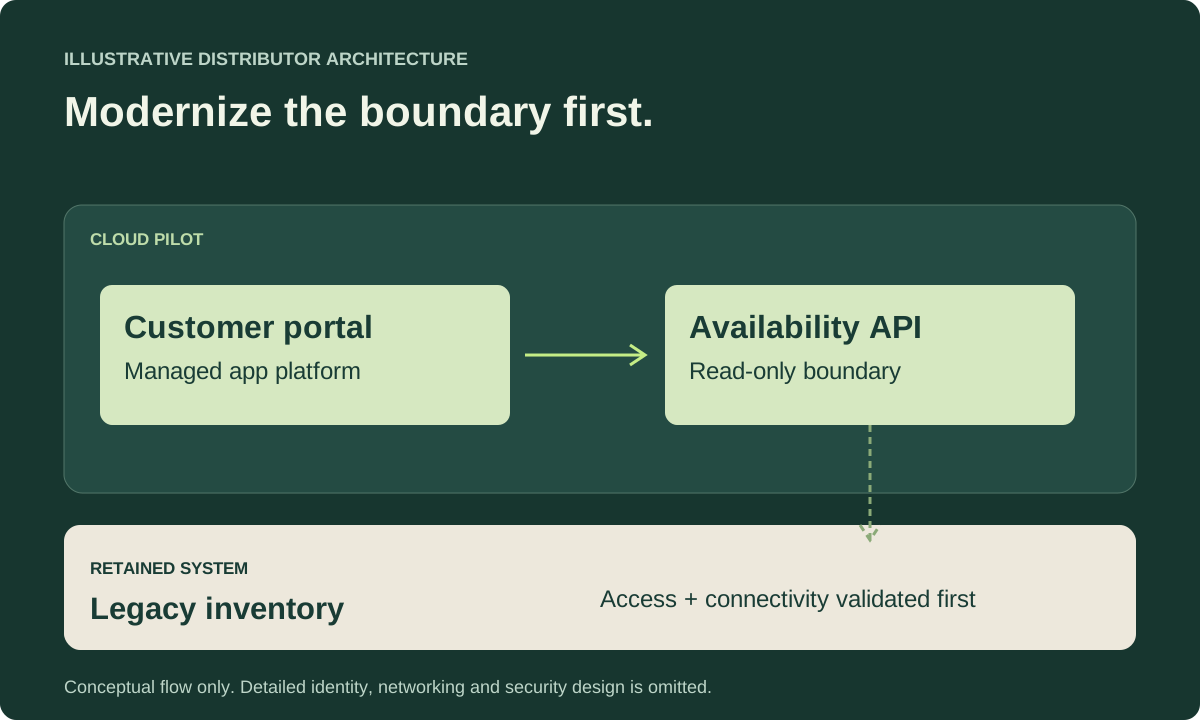
For a distributor, a read-only product availability API could be a better first step than moving the order database. It can exercise deployments, monitoring and peak-load behavior with a smaller scope. Read-only access still needs authorization, data protection and safeguards against overloading the inventory system.
Before launch, agree what success looks like, when you will review it and how to roll back safely. Test recovery and make sure the team can act on alerts. Then observe the service under realistic demand. A successful deployment alone does not prove it is ready to expand.
6. Use 90 days to make the next decision
Give discovery and the pilot a clear review window. Extend it if procurement, regulatory review or newly discovered dependencies require more time.
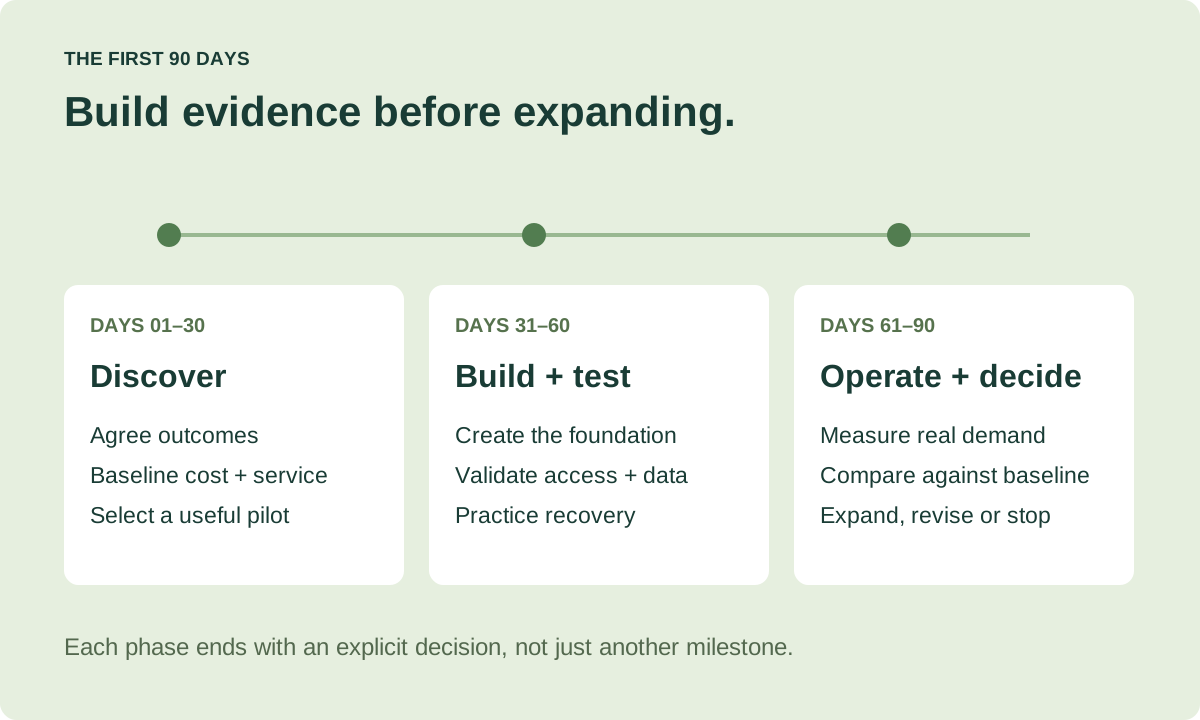
- Days 1–30: agree outcomes, inventory a small workload group, baseline costs and service performance, and select a pilot with named owners.
- Days 31–60: create the minimum foundation, implement the pilot, validate access and data handling, and test deployment and recovery procedures.
- Days 61–90: operate the pilot, compare actual cost and performance with the baseline, document gaps, and decide whether to expand, revise or stop.
At each review, decide whether to continue, change the approach or stop. Approve the next workload only when the pilot meets its agreed recovery goals, costs are understood and the team can support it. Finding a reason to pause is useful evidence too.
Example: a distributor takes one step at a time
Imagine a B2B distributor with a small engineering team, a customer portal and an older inventory system. It wants faster portal releases and reliable access during seasonal peaks. The inventory system has dependencies the team has not fully mapped. This is a fictional example, not a customer case study.
The team keeps inventory in place and pilots a read-only availability API. It considers moving the portal to a managed platform after checking connectivity, compatibility and data freshness requirements. It postpones the inventory rewrite until it understands the effort and risk.
Its scorecard tracks release lead time, response times during peak demand, recovery test results and cost per completed order. Engineering owns delivery, operations owns recovery, and finance reviews costs with the product owner.
The next investment depends on the results. If the API places too much load on inventory or returns stale availability, the team must resolve that before expanding. If the pilot meets its goals, it has a stronger basis for the portal migration.
Your next step: write a one-page strategy
Before the next planning meeting, write down answers to five questions. Use the pilot’s results to update them as you learn.
- What business problem are we solving, and what is the baseline?
- Which application will we change first, and why?
- What will it cost to migrate, operate and retire the old setup?
- Who owns delivery, recovery and spending?
- What evidence will we review before approving the next step?
You do not need every future architecture decision settled to begin. You need a clear first decision, a manageable way to test it and owners who can act on what the results show.